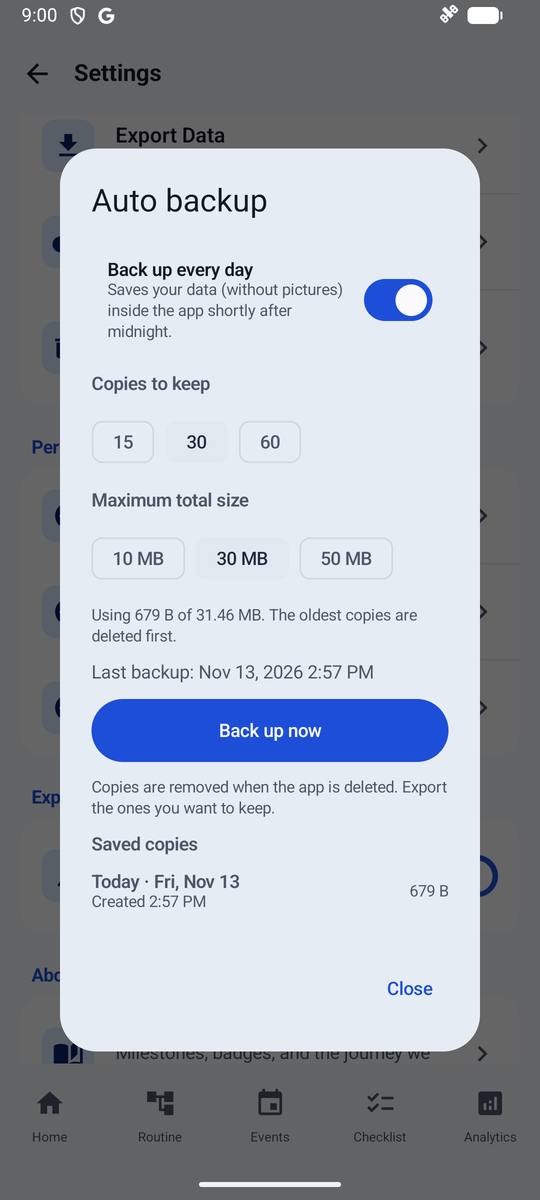
Inbox and Display Settings (Theme, Calendar & Auto Backup)
How to jot to-dos into the Inbox, and customize the color theme, calendar display options, and automatic backup.
In the Inbox at the top of the Routine tab, type a to-do or an idea that comes to mind.
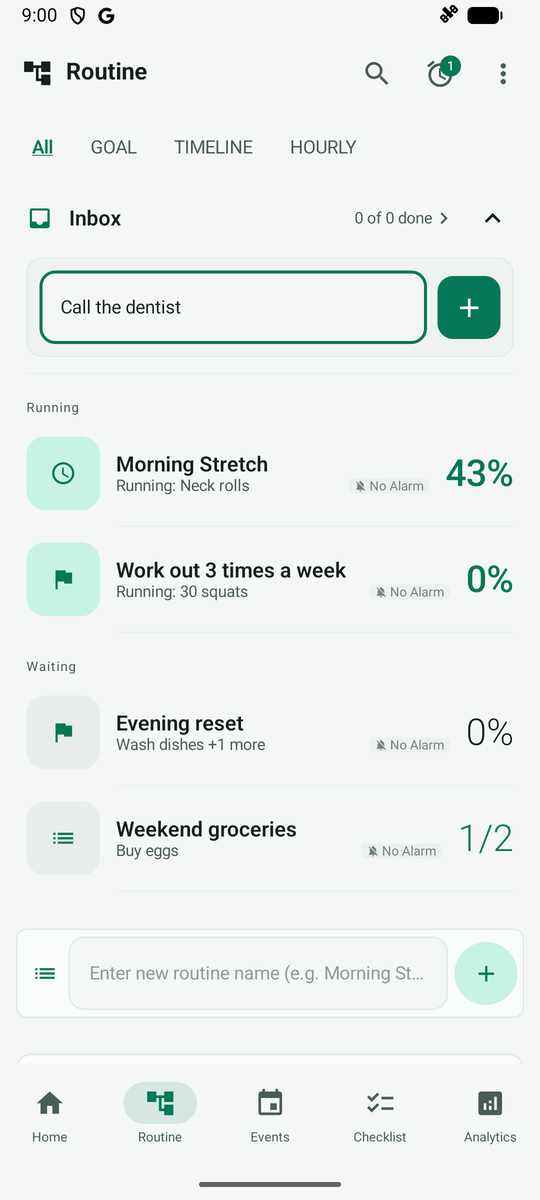
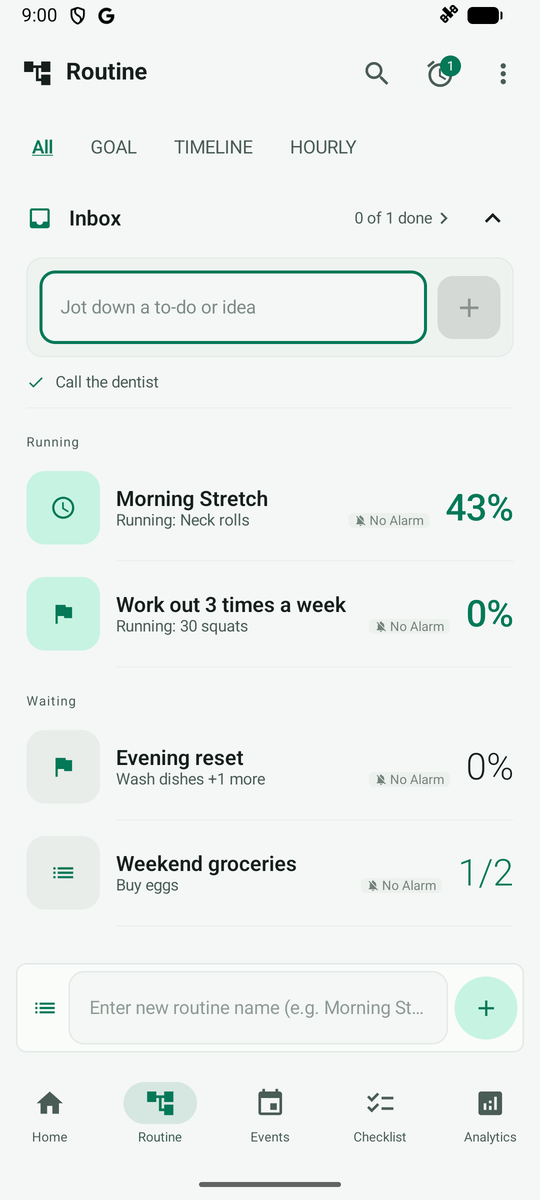
Tap the + button on the right to add it to the Inbox list. You can turn it into a routine or mark it done later.
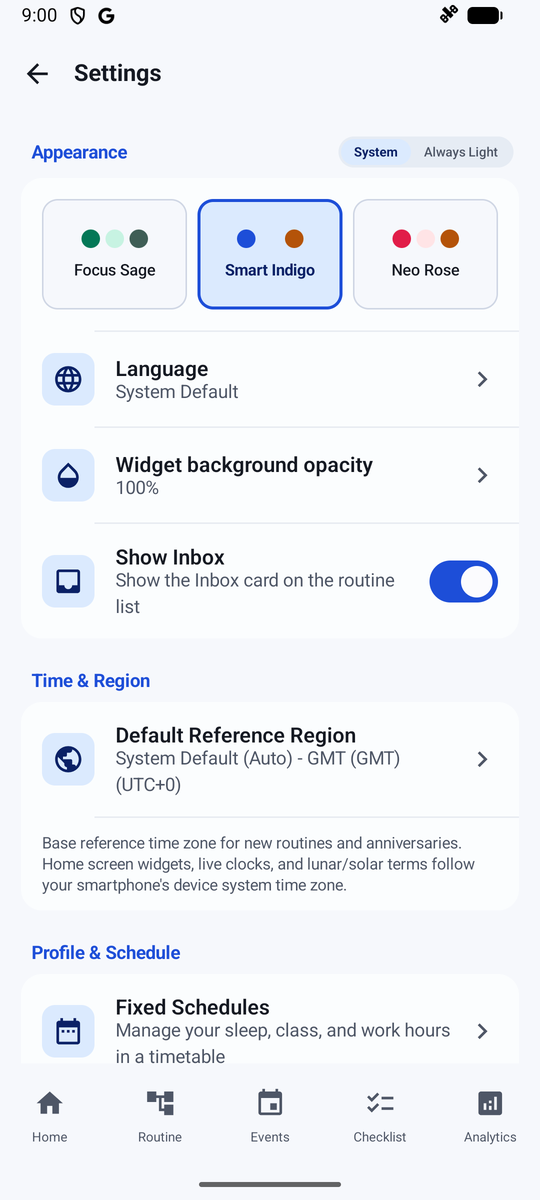
In More > Settings > Appearance, choose your preferred color theme among Focus Sage, Smart Indigo, or Neo Rose. You can also turn off the Show Inbox switch if you do not need it.
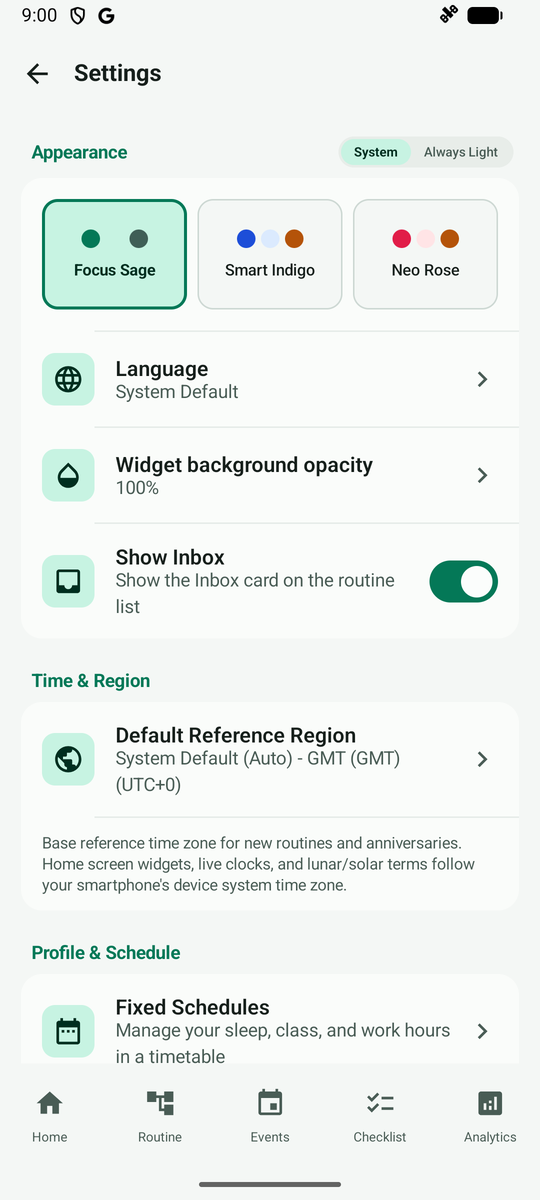
Tap a color theme to instantly update the accent colors and look across the entire app.
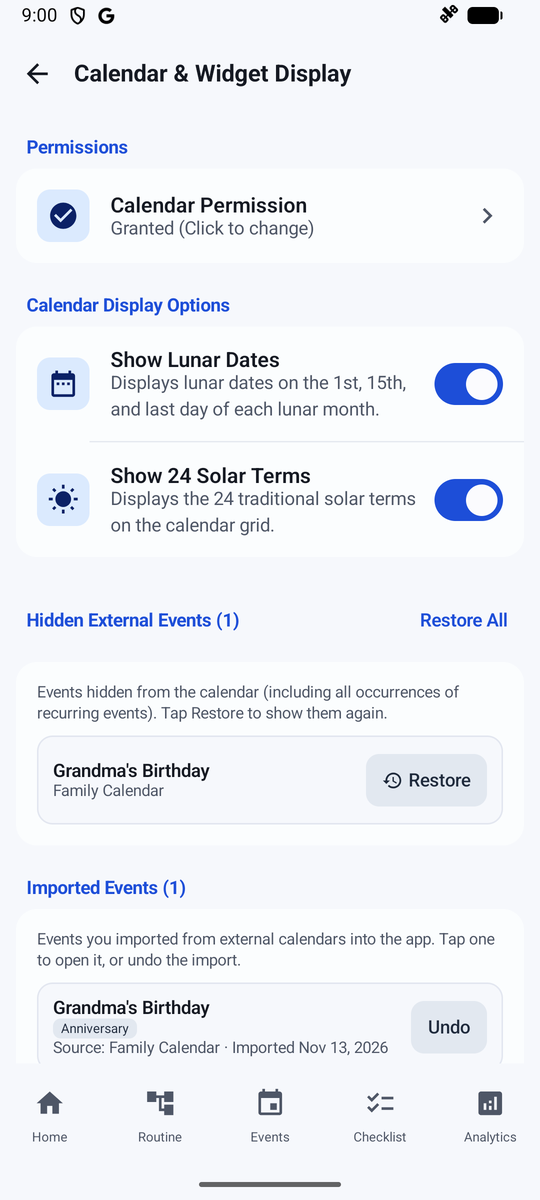
Under Calendar Display Settings, toggle whether to display lunar dates and solar terms on the calendar, and manage hidden events.
Under Auto Backup, check that your data is automatically backed up regularly and see the last backup timestamp.