Import Events from Your Phone Calendar
How to bring birthdays or yearly events from your phone calendar into the app as an Anniversary, D-Day or Routine.
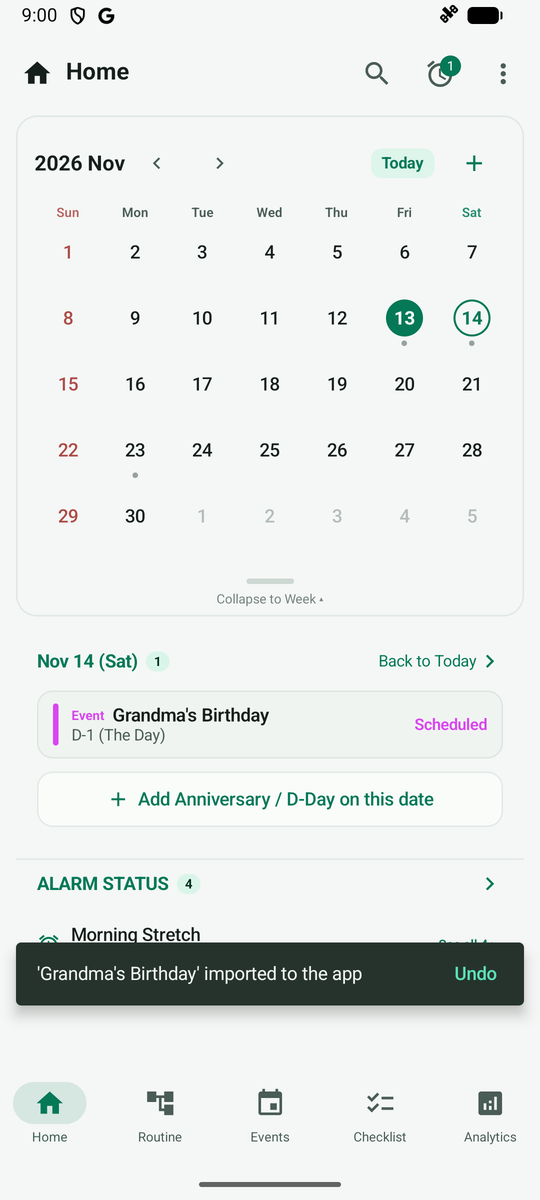
Tap a date with an external event on the Home calendar and the phone calendar event appears in the list below.
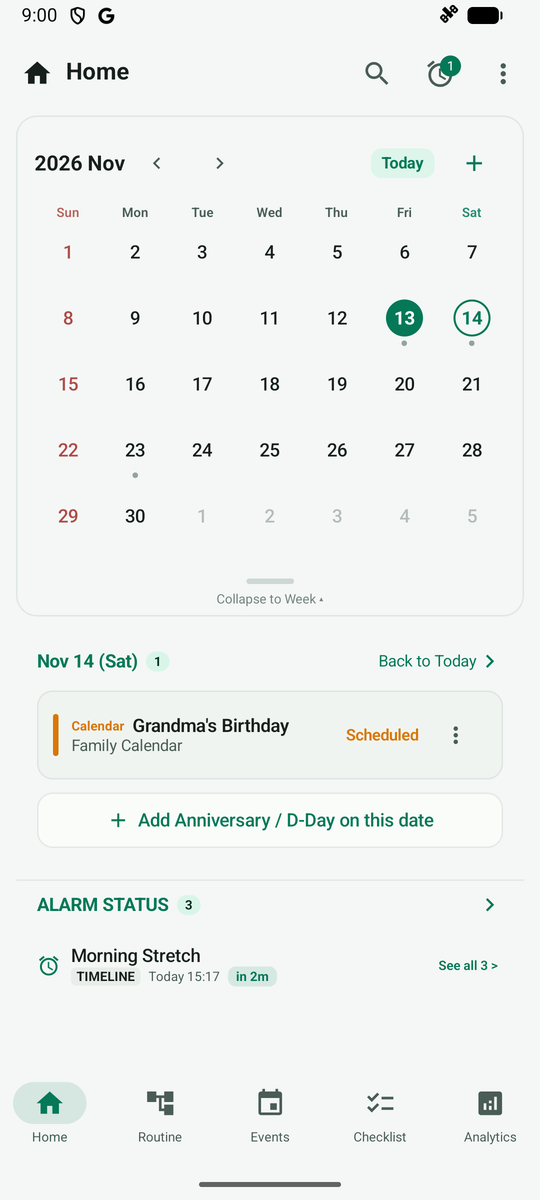
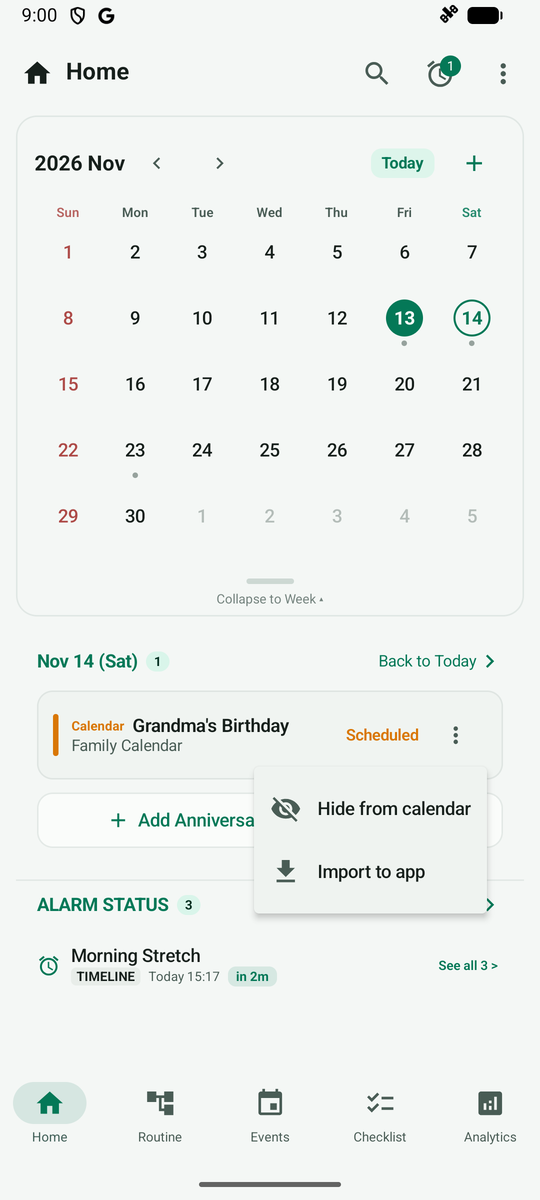
Tap the More (three dots) button on the right of the external event and choose Import to app. Tapping the event itself opens your calendar app, so always start from the menu on the right.
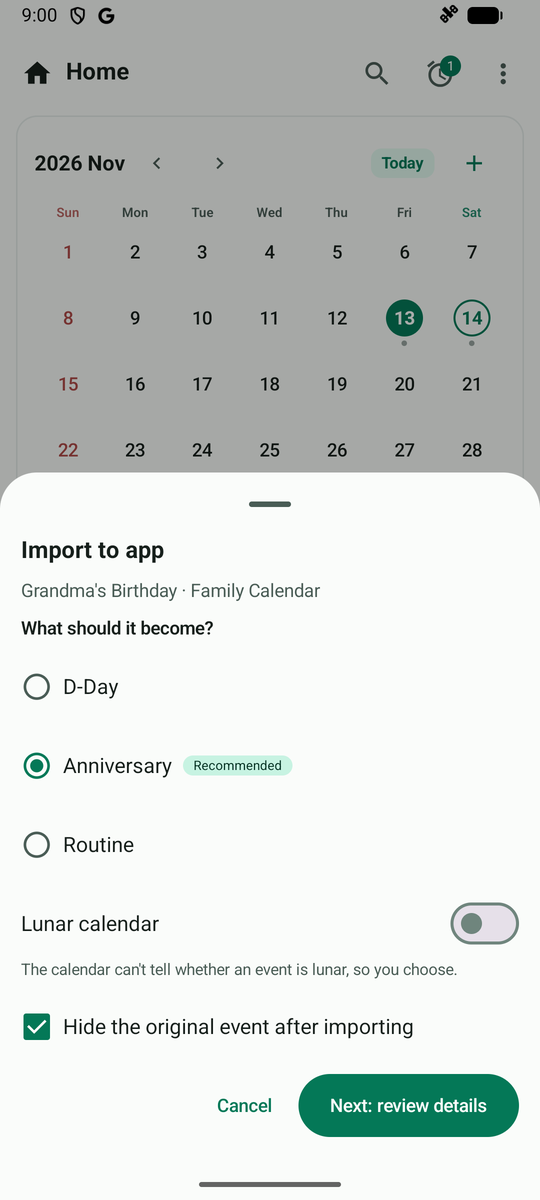
In the sheet, choose whether to bring it in as a D-Day, Anniversary or Routine. Yearly repeating events are recommended as Anniversary, and keeping Hide the original event after importing checked prevents duplicates on the Home calendar. Tap Next: review details.
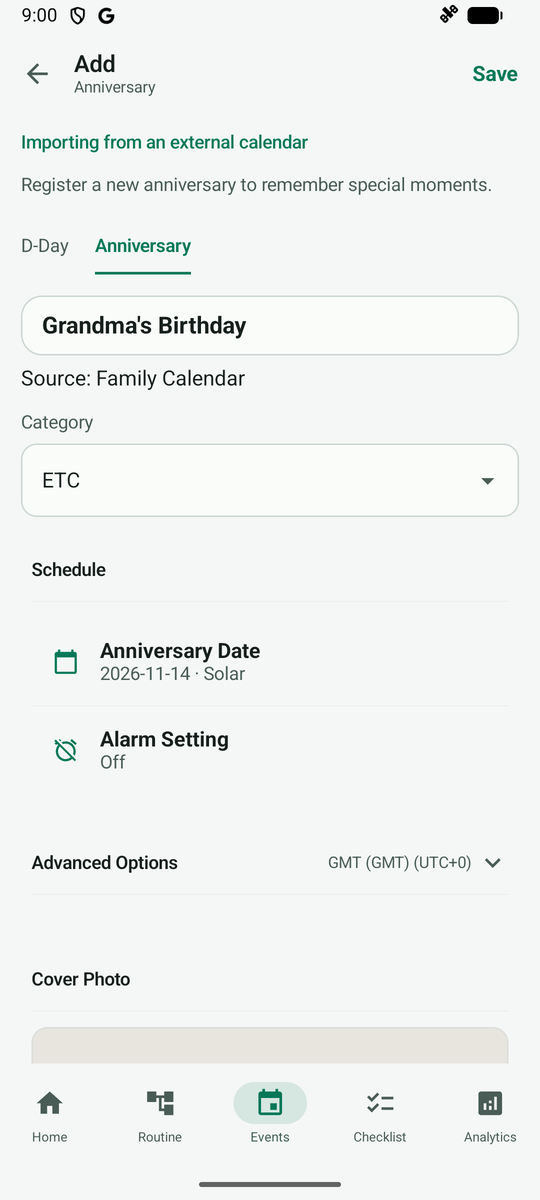
A creation screen opens with the event name, date and calendar source filled in. Check the details and tap Save at the top right.
After saving, the calendar event is registered in the app, and you can undo it right away from the notice at the bottom.