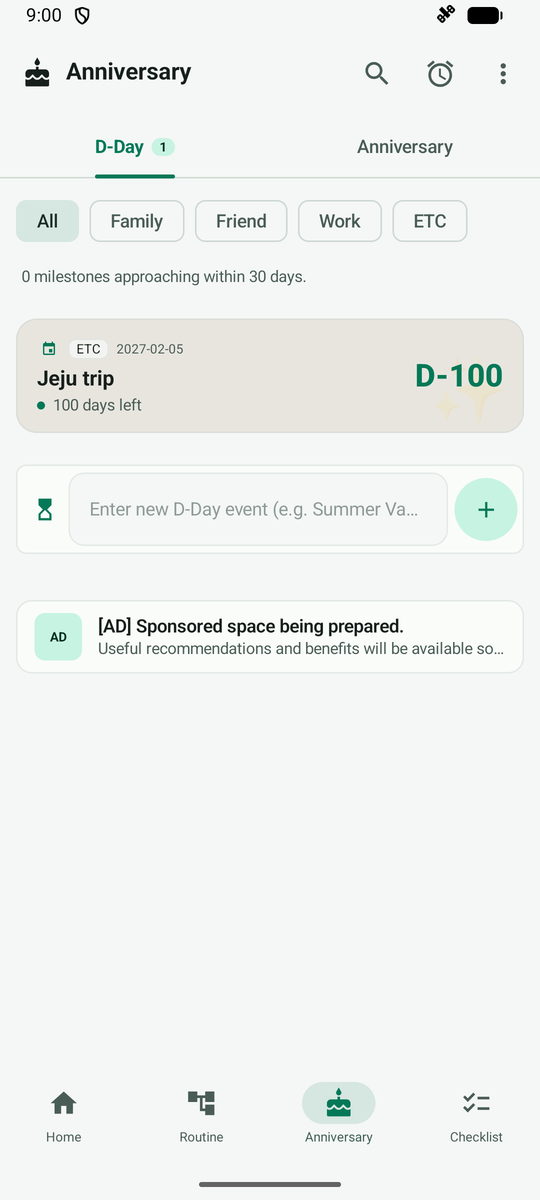
Add a D-Day
Add a D-Day to see the days left until a date you look forward to. The example is a 'Jeju Trip'.
Open the Anniversary tab. D-Days and anniversaries are shown separately.
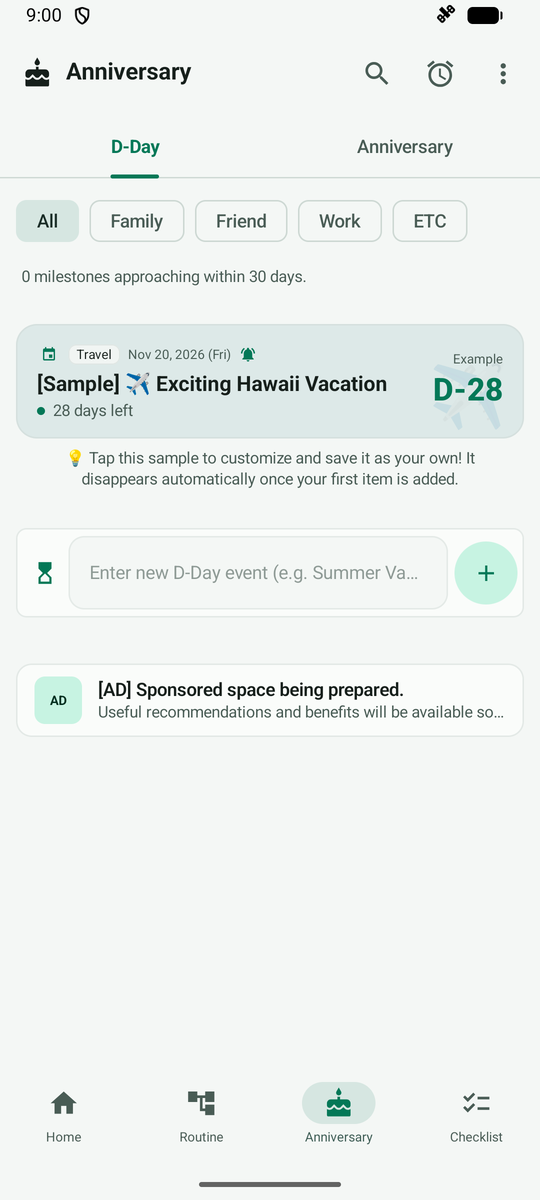
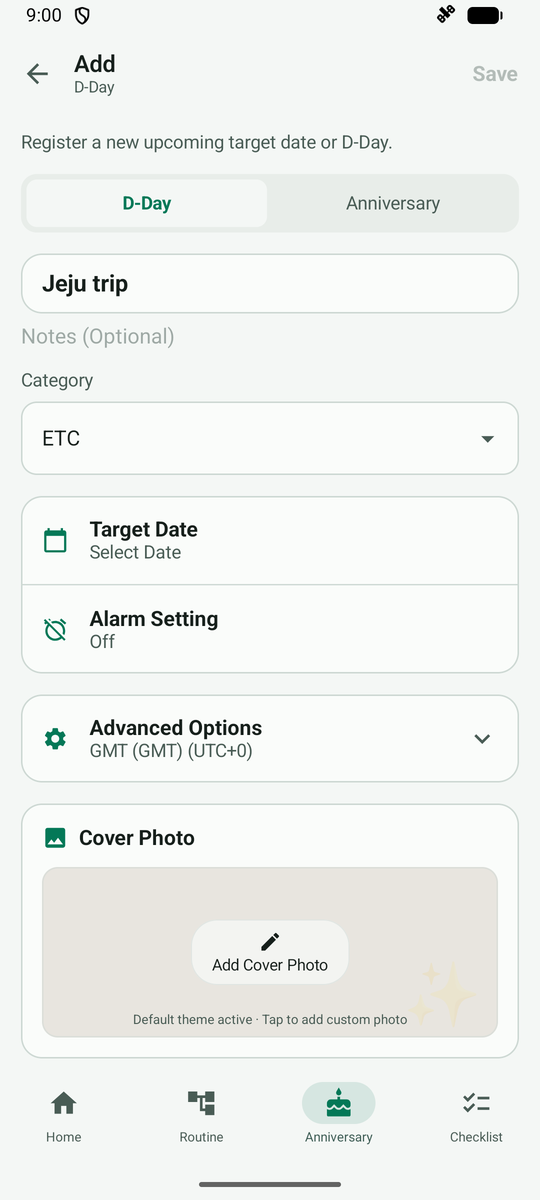
Type a name and tap + to open the D-Day registration screen. Below the name you set the target date, alarm and category.
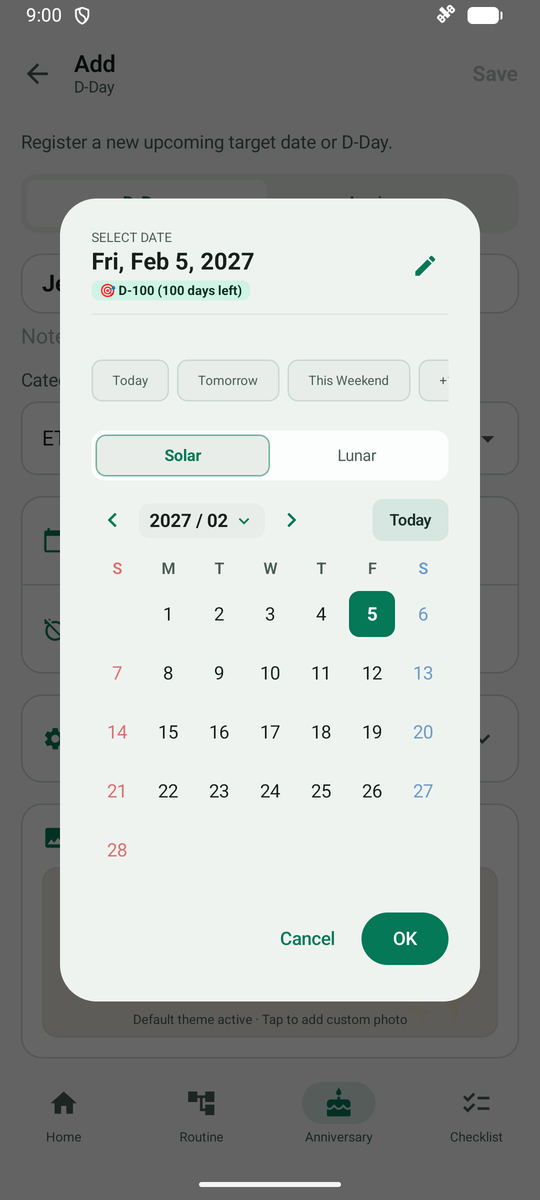
Tap Select Date to see the quick-pick buttons and the calendar.
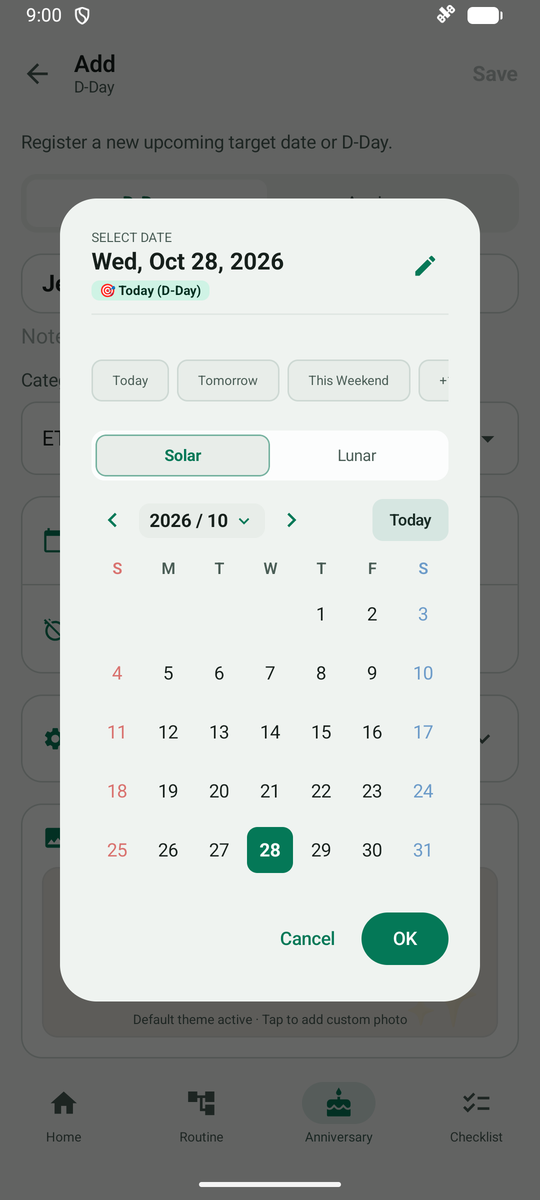
For example, tap +100 Days and the date and days left change right away. Tap OK, then Save.
After saving, the D-Day card shows the days left in large type. Tap the card for details.